AI Use Case Request Form
Duration: One year (ongoing)
Team of 4
My roles/responsibilities:
Project Manager/Facilitator
User Experience Researcher (User Interviews, Usability Testing, User Scenarios)
User Experience Designer (Interface Design, Interaction Design)
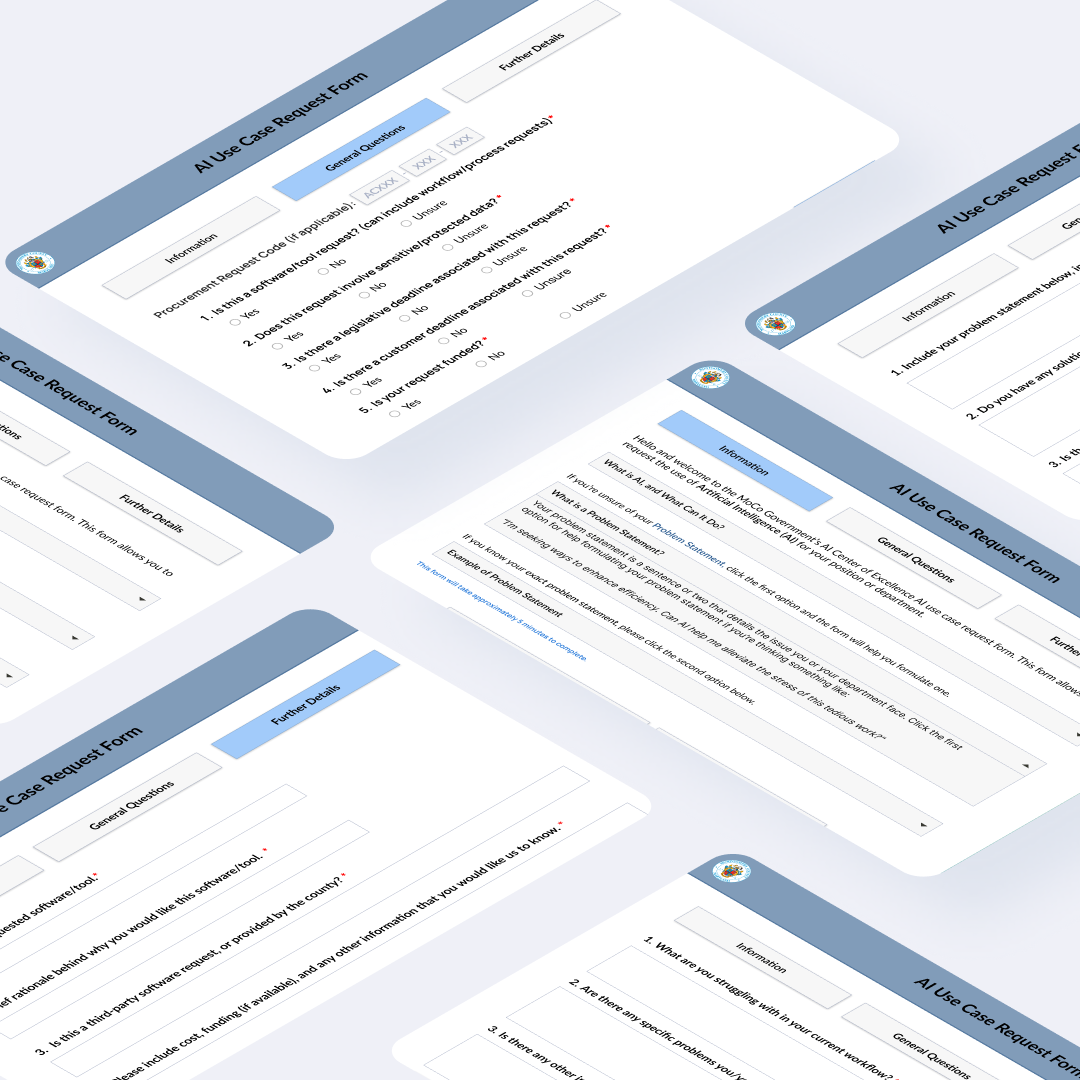
Montgomery County, Maryland Government
The Problem
As technology continues to advance, companies across the nation are utilizing Artificial Intelligence to assist with employee’s workflow and daily activities, and Montgomery County Government is no exception. The County Government is launching an “AI Center of Excellence” in which they are expecting an influx of AI use case requests from employees across multiple departments. In order to appropriately handle these requests, they are seeking a request form that will allow them to manage these requests.
Problem Statement
As Montgomery County government employees face workflow and data related challenges, precious time and resources are wasted completing repetitive, tedious tasks. Due to varying levels of AI knowledge, employees may be unsure if there is a solution to their problem, or how it might be solved using Artificial Intelligence.
Long Term Goal
Our Long Term Goal for this project was to create a testable prototype that facilitates employees’ AI requests by eliciting a proper AI use case with sufficient detail for the Center of Excellence to understand the problem statement without unnecessary communication between requester and employee reading the requests.
Challenges
This project brought significant challenges, mainly in terms of client communication.
Overall
-poor client communication
-lack of access to ServiceNow platform that form will be hosted on. This was a challenge for us as we were not able to analyze the capabilities that the platform possessed and
User Scenarios
After much deliberation with the client and amongst the team, we were able to narrow our user base to three different scenarios:
1. Employee knows they have a problem and may or may not know how to articulate it, but does not know if or how it can be solved using AI.
2. Employee knows they have a problem and may or may not know how to articulate it, and may have an idea of how their problem might be solved.
3. Employee knows they have a problem, can articulate it well, and knows the solution they would like.
With these three scenarios in mind, our mission was to create a single form that catered to all three of these types of users, and any potential edge case that might occur.
The Sprint Process
For this project, we followed Google’s Design Sprint Methodology, but instead of following a one week schedule with one day for each phase of the sprint, we took one week for each phase, and divided the semester up into five different sprints.
Sprint Prep & Initial Work
Before diving into the sprint process, we began by doing some initial work, which included:
Reviewing the Scope of Work (SOW) document to determine points of confusion and points we wanted to discuss with the client.
Initial research on existing use of AI in governments across the United States to determine how governments currently utilize AI.
This was especially useful for us as it gave us some ideas
Sprint 1
In the first sprint, we began by establishing rapport with the client and clarifying our Scope of Work.
The questions we wanted to address this sprint were:
How might we help users define their problems?
Will users provide enough detail [for the Center of Excellence to understand their request]?
How might we handle sensitive data?
Business Model Canvas (BMC)
When considering why a business model canvas was created for a county government aiming to integrate AI technologies, several key reasons come to light:
1. Clarity in Strategy: The business model canvas provides a clear and concise visual representation of the county government's current business model, highlighting areas that can be improved or innovated through AI integration. It helps stakeholders understand the strategic direction and alignment of resources needed for successful AI implementation.
2. Comprehensive Overview: By mapping out key elements such as customer segments, value propositions, channels, revenue streams, and cost structures, the business model canvas offers a comprehensive overview of how AI can be integrated effectively into the county government's operations. It enables decision-makers to assess the impact of AI on different aspects of the organization.
3. Identification of Opportunities and Challenges: Through the business model canvas, the county government can identify specific opportunities where AI can drive efficiencies, enhance services, or create new revenue streams. Simultaneously, potential challenges and risks associated with AI integration, such as data privacy concerns or workforce displacement, can be recognized and addressed proactively.
4. Alignment of Resources: By outlining key activities, partnerships, and resources required for AI integration, the business model canvas helps ensure that the county government allocates resources effectively. It enables a structured approach to planning and implementing AI initiatives, minimizing resource wastage and maximizing the value generated from AI technologies.
5. Facilitation of Communication and Collaboration: The business model canvas serves as a common language for different stakeholders within the county government, fostering better communication and collaboration. It enables cross-functional teams to work together towards a shared vision of leveraging AI for the benefit of the community.
In conclusion, creating a business model canvas for a county government seeking to integrate AI is instrumental in providing strategic clarity, a holistic view of opportunities and challenges, alignment of resources, and enhanced communication and collaboration. It sets the foundation for a well-structured approach to AI implementation that is tailored to the unique needs and objectives of the county government.
Insights from BMC
Competitive Analysis Matrix (CAM)
We created a Competitive Analysis Matrix to:
Identify Strengths and Weaknesses: By conducting a competitive analysis, we can gain insights into the strengths and weaknesses of our AI initiatives compared to other governments. This knowledge is crucial in understanding where we stand in the global AI landscape.
Benchmark Performance: The competitive analysis matrix allows us to benchmark our AI strategies and implementations against those of other governments. This comparison can help us identify areas where we excel and areas that need improvement.
Spot Opportunities and Threats: Analyzing the AI strategies of other governments helps us identify potential opportunities for collaboration, investment, or knowledge sharing. It also enables us to anticipate threats that may arise from competitors' AI advancements.
Plan Strategically: The insights gathered from a competitive analysis matrix can inform our strategic planning process. Understanding how we compare to other governments in terms of AI deployment can help us set realistic goals and chart a path for future development.
Enhancing Innovation: By studying the AI initiatives of other governments, we can gain inspiration for innovative approaches and best practices. This cross-pollination of ideas can drive creativity and help us stay at the forefront of AI innovation.
In conclusion, completing a competitive analysis matrix compared to other governments using AI is crucial for gaining a comprehensive understanding of our position in the global AI landscape, identifying areas for improvement, seizing opportunities, and driving innovation in our AI initiatives.
Insights from CAM
Some of the most interesting insights we found from completing this were that Anne Arundel County Government used cameras attached to school buses to detects cars driving around school buses with AI powered safety features. This use of AI was insightful as it gave our clients a tangible example of how a government is using AI.
Research
The research methods we included in this project were
Though our target population was Montgomery County Employees, our clients were apprehensive about us interviewing them as they felt it would be difficult to schedule with them.
We began by distributing a survey to determine
Sprint 2
Summary/Main Takeaways:
At this point in the project, our clients still could not articulate potential AI use cases and seemed to have differing (and at times conflicting) views on what the project should contain, so we decided to come up with a “dashboard view”, showing the Center of Excellence what all of the requests would look like when viewed on a central platform.
Though we only had two clients listed for our project, the Center of Excellence is comprised of 13 individuals, all of whom seemed to want different things.
We decided that creating the dashboard view would allow us to solicit the information that each member found essential from the form responses. This helped spark important conversations amongst the CoE to help them determine what they really wanted out of the interface and their expectations for the final product.
Preliminary User Interviews
Throughout the sprint, we conducted interviews with our target population for the main portion of the interface, Montgomery County employees, to gain some insights about employee’s current understanding and utilization of AI in the workplace and in their daily lives.
The findings are as follows:
Interest in using AI for repetitive, time consuming tasks
Ex: Responding to landowner inquiries or disseminating social media content
Data Collection
Some data may be incomplete or not comprehensive, such as Census farming data
Generally a lack of knowledge regarding the capabilities of AI in relation to current workflows
Data Security and Disinformation Concerns
Some departments definitely have sensitive data that will not be accessible
Don’t want to contribute to disinformation by using AI, accidentally or otherwise
Mapping
Mapping Phase in the Sprint Process
Explanation of mapping process
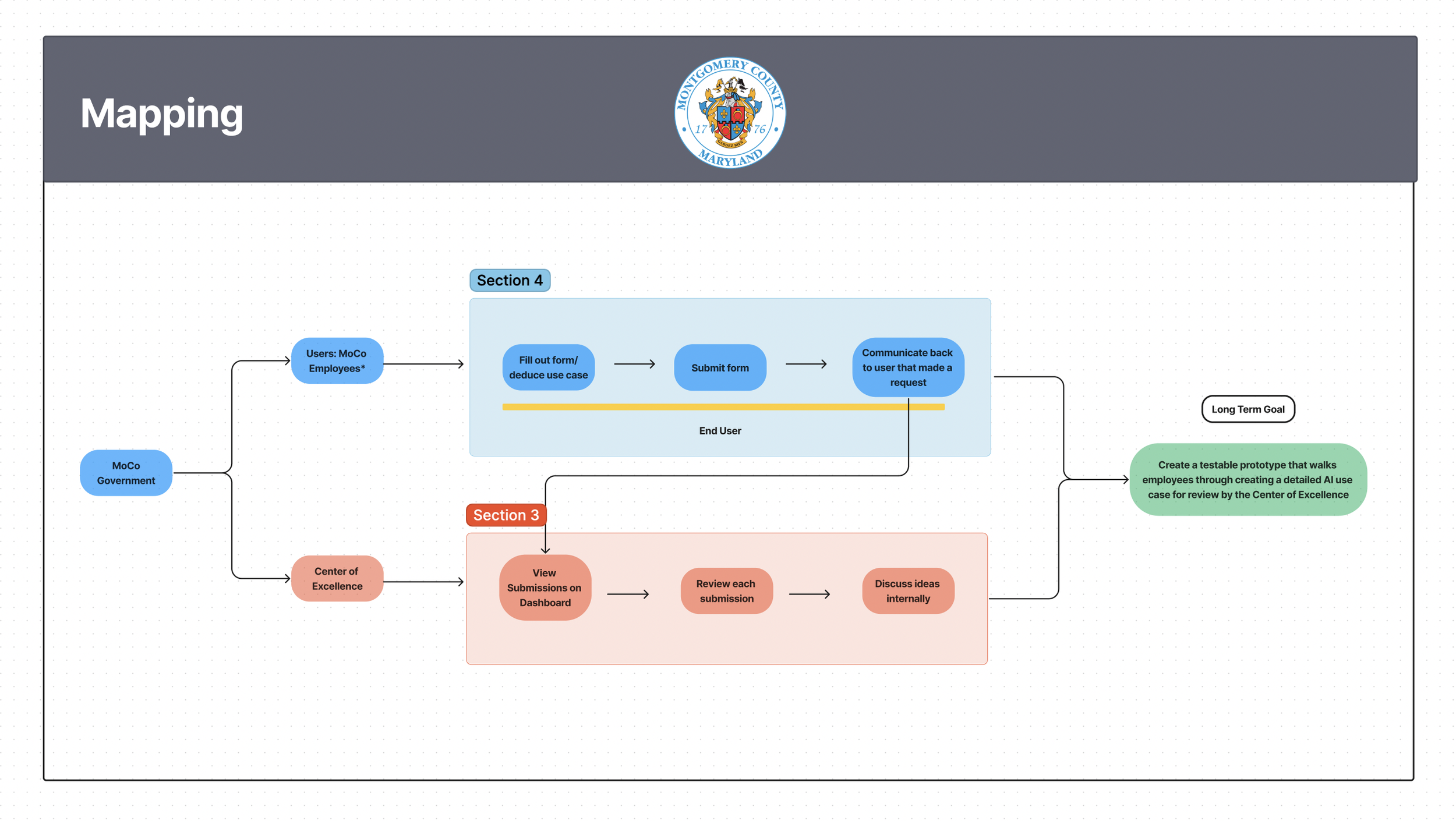
In order to help our clients understand the mapping phase, we created a step by step visual aid to explain the purpose of our map as well as instructions and explanations behind why we vote on specific “How Might We” Questions.
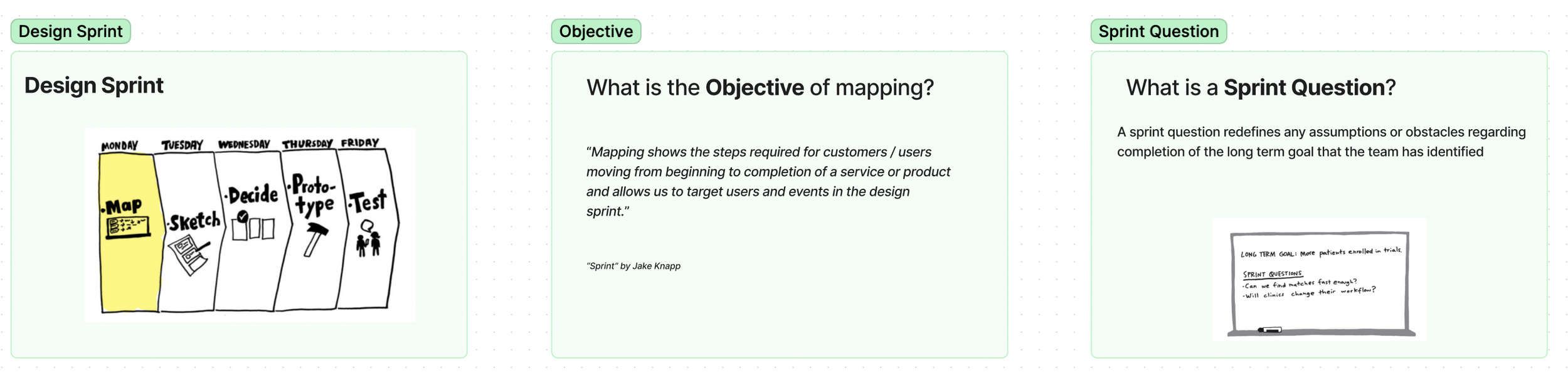
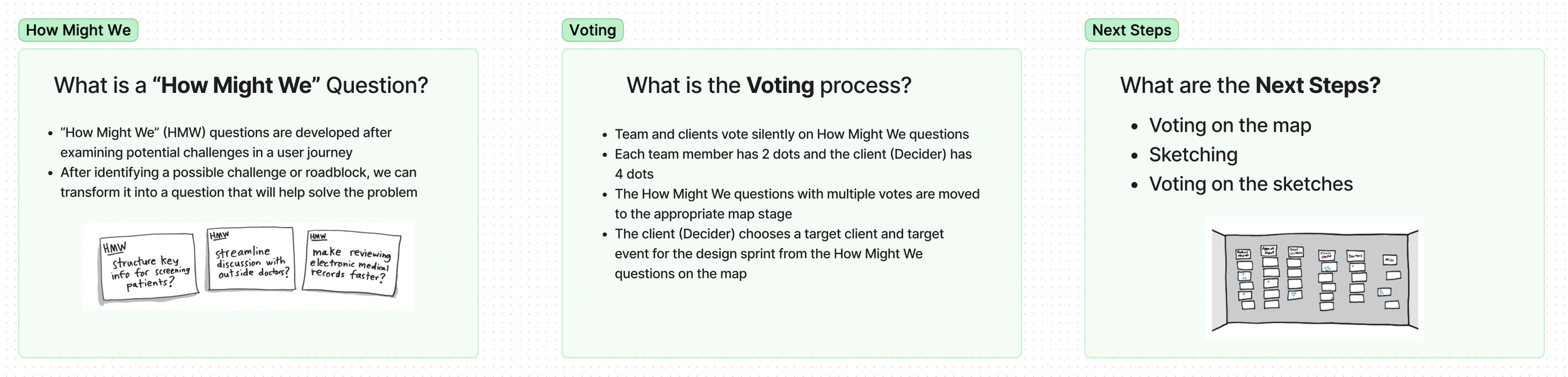
Prioritize requests by department, status, date, and occasional budget
Include clarifying questions for funded requests
Maintain budget transparency without hindering submissions
Investigate API integration to prevent duplicate high-level submissions
Highlight legislative support with request deadlines
Insights
Reevaluate dashboard notifications feature
Investigate varied notification display (e.g., charts)
Personalize notifications per roles
Improve notifications with urgency markers & concise descriptions
Though the team determined most of the features we proposed would not be relevant, designing this version of the interface proved infinitely useful to us as it helped the client determine what they wanted from us and gave us more direction on where the project was heading going into sprint 3.
Additional Features & Capabilities:
Specify red indicators and time-related team details
Explore job type estimates and highlight executive directives
Align tasks with tickets, not individual actions
Create filters for departmental requests and enhance date visibility
Design a comprehensive dashboard for completed requests and fiscal summaries
Test
We had three focus group sessions with the Center of Excellence as they are the target users for this portion of the interface. As we analyzed their thoughts, we categorized them into three different relevant areas and simplified the data into bullet points. Notable insights from these sessions are as follows:
Request Information and Data Management
Dashboard and Notifications Enhancement
Sketch
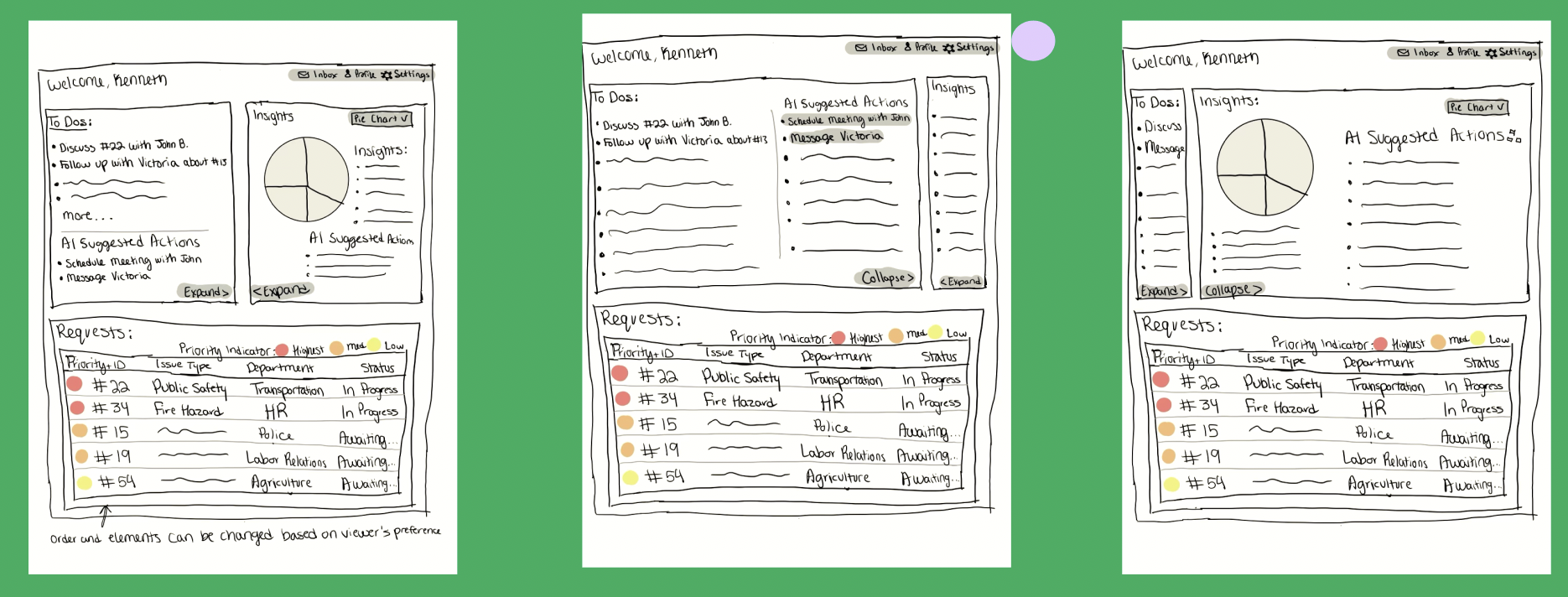
After deciding on focusing on the dashboard view, each member of the team produced sketches of what we wanted the dashboard to look like. After viewing each of our sketches, the clients offered their input and determined they liked elements of each of our sketches, so we incorporated elements of each team member’s sketch into our final prototype.
Prototype
*Photos of the prototype with rationale here. *
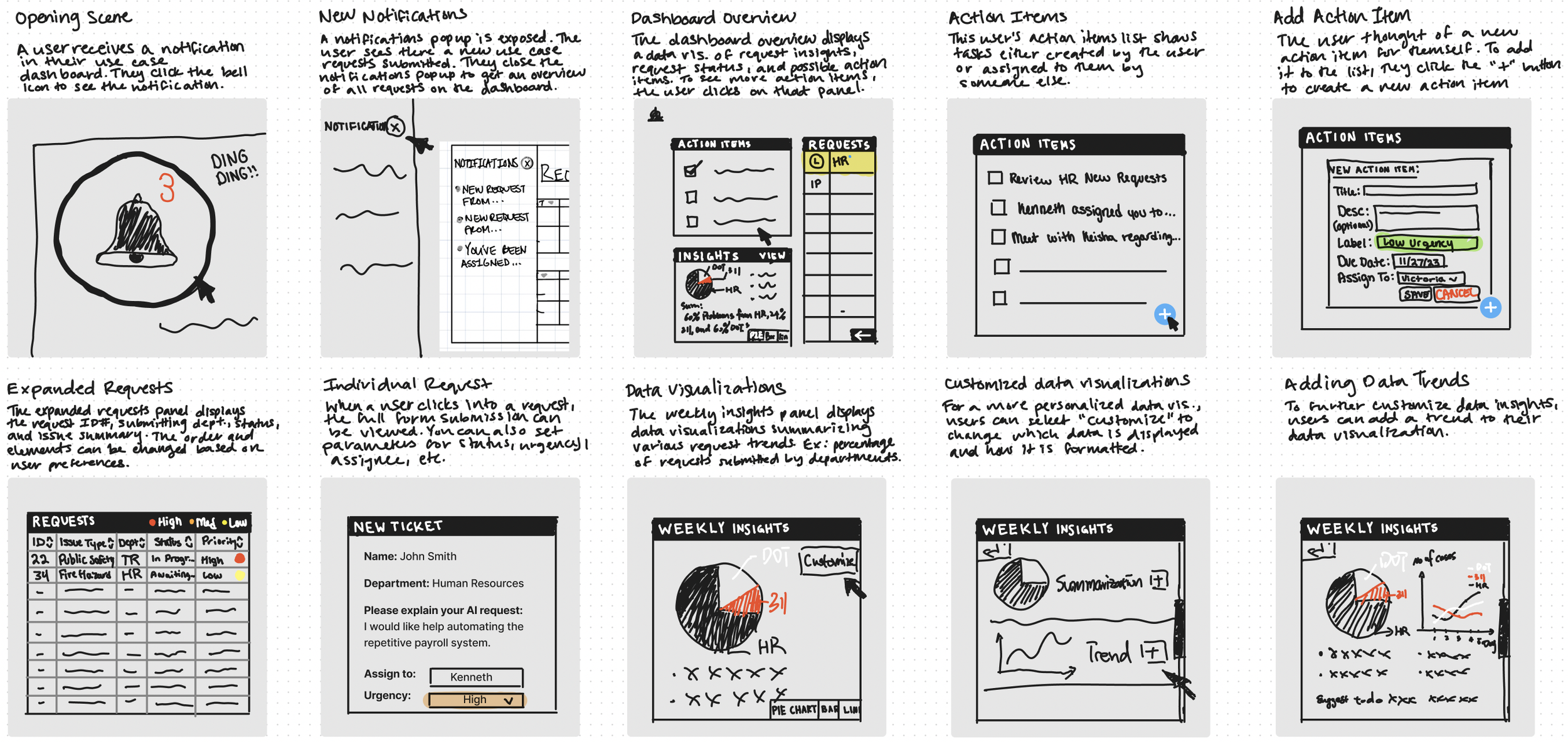
Storyboarding
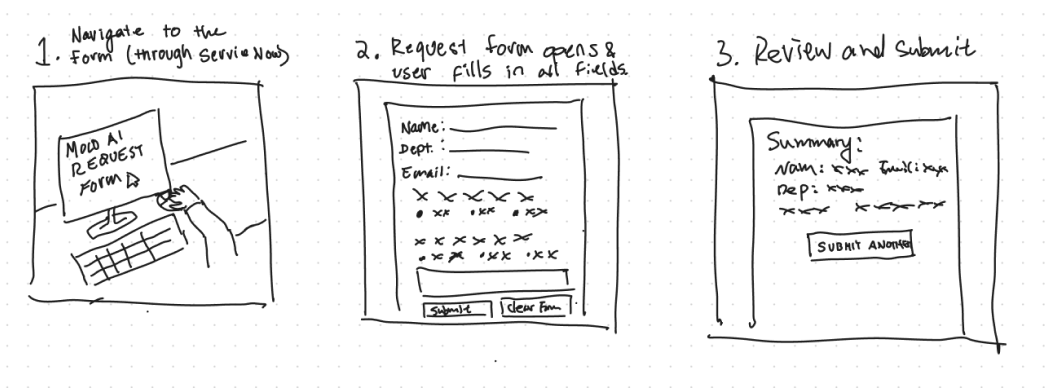
By creating a series of illustrated frames that depict key scenes and actions, we mapped out the flow of the narrative and journey the user would take when interacting with the interface we designed.
Storyboarding
Prototype
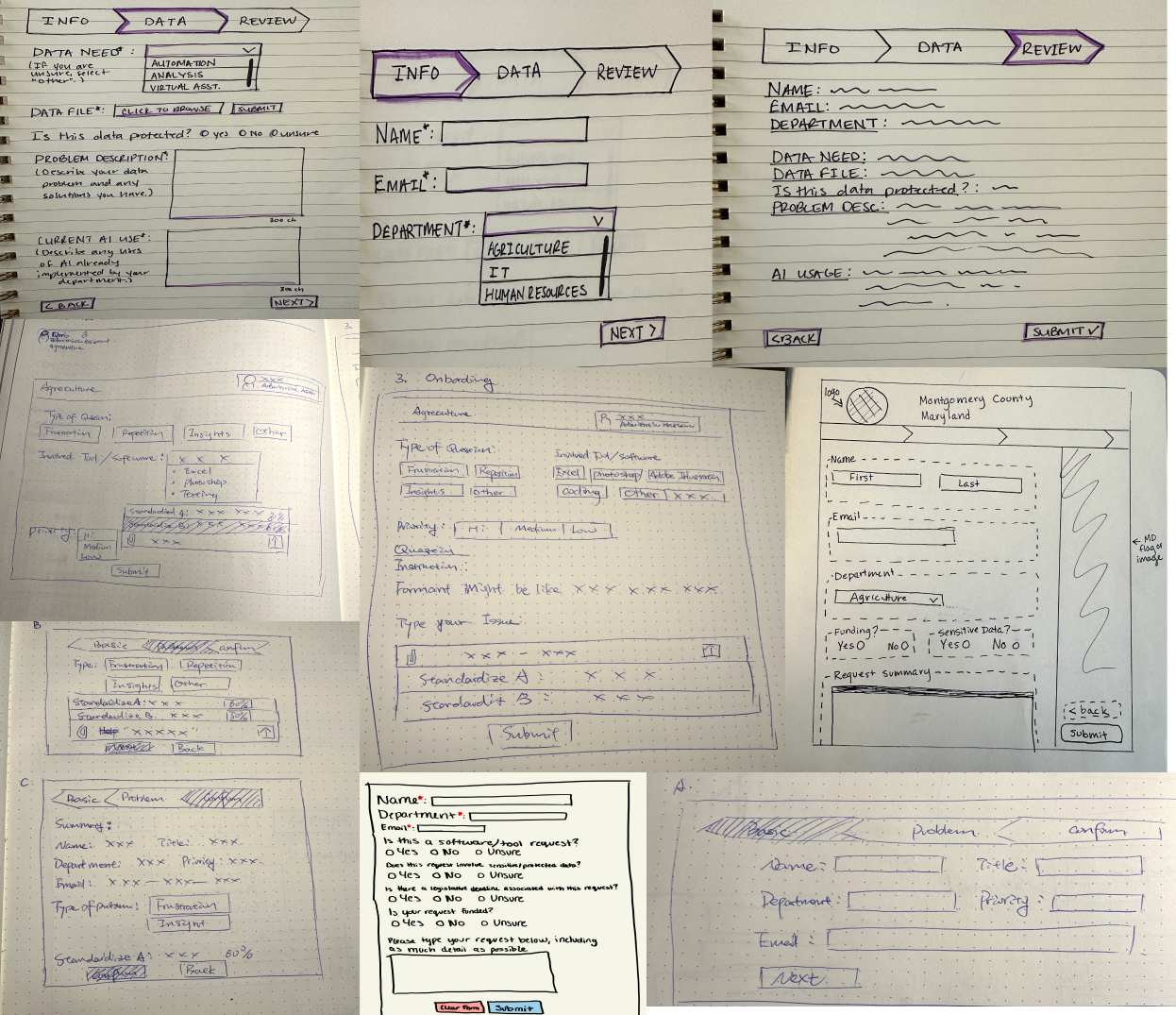
Rationale here.
Test
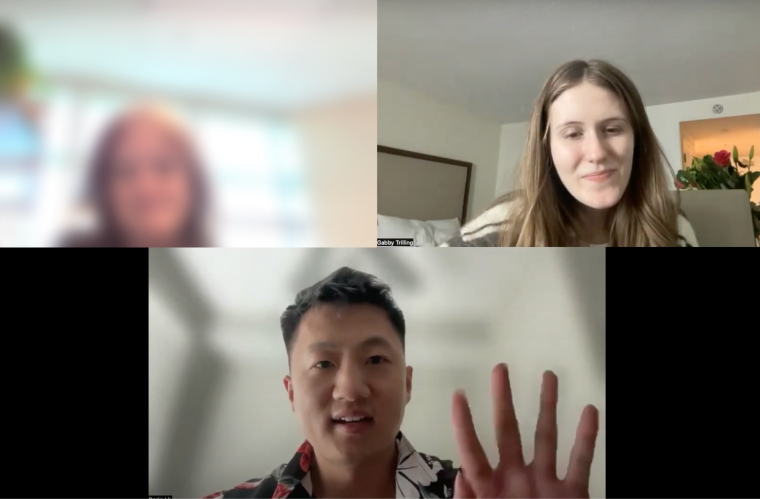
Form Critique
“I have a request that I’m not sure how to word, is it possible to talk to somebody”
Unfamiliar with some wording
Adding an “other” option
“Would be good to have a Chatbot”
New Data Parameters
Funding - can existing funding be applied
Project Type - existing or new project?
Position - are you the decision maker?
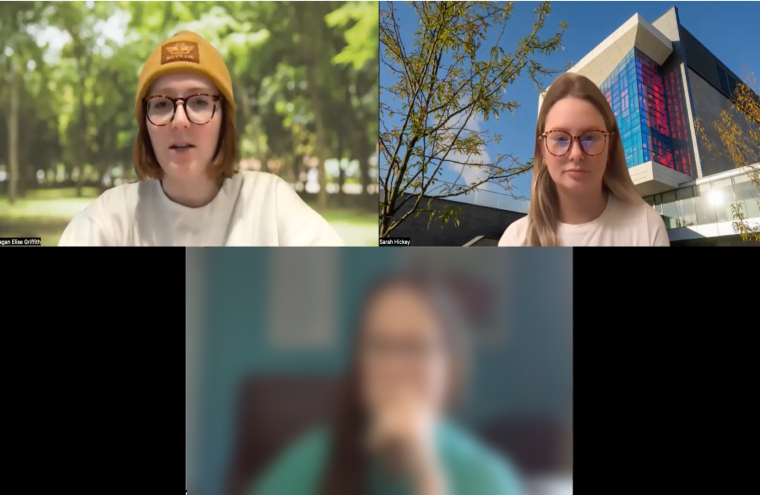
Pre-Form Information
What is the COE?
What is the timeline for something like this
What time commitment is expected of me?
Who within the govt. hierarchy is my request going to?
Refine
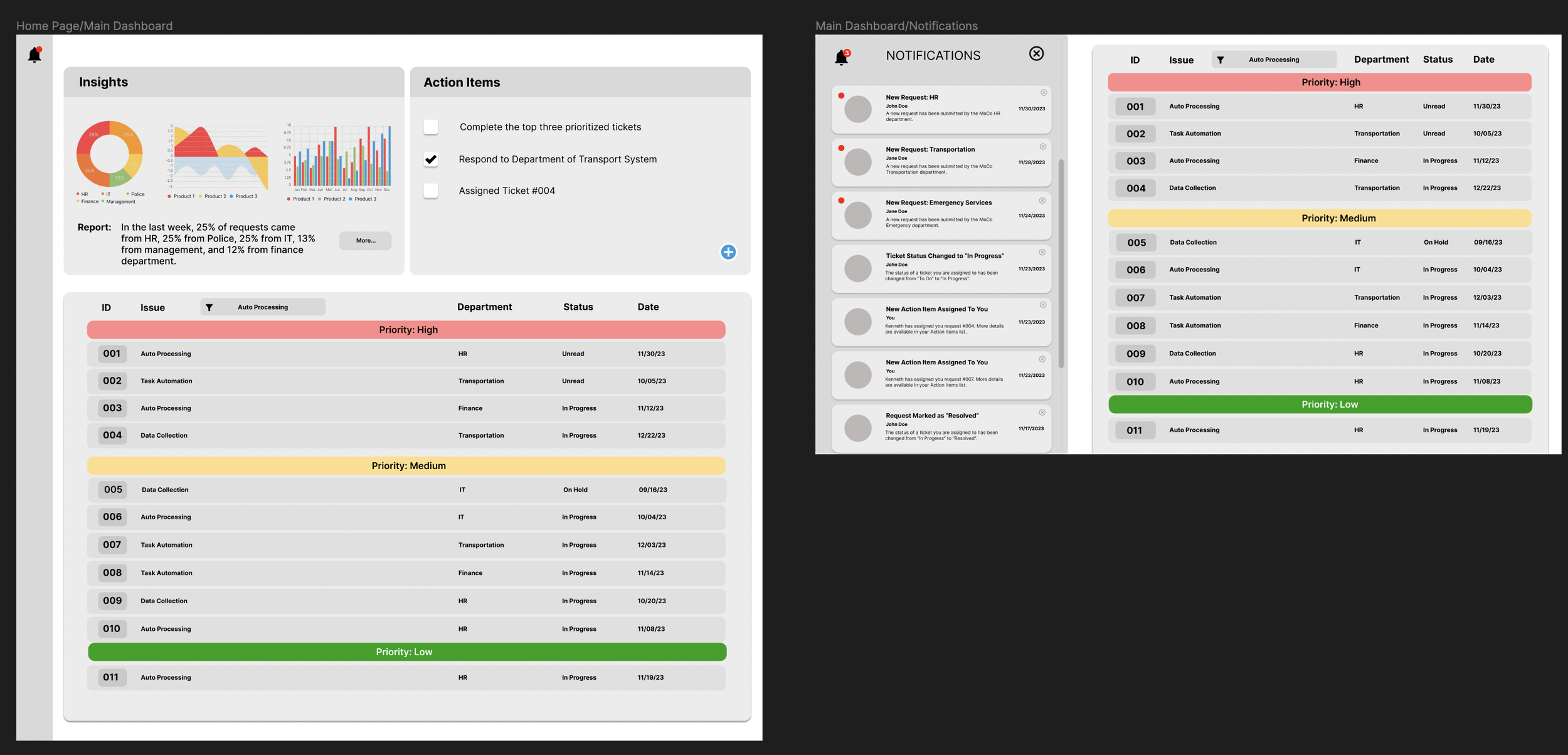
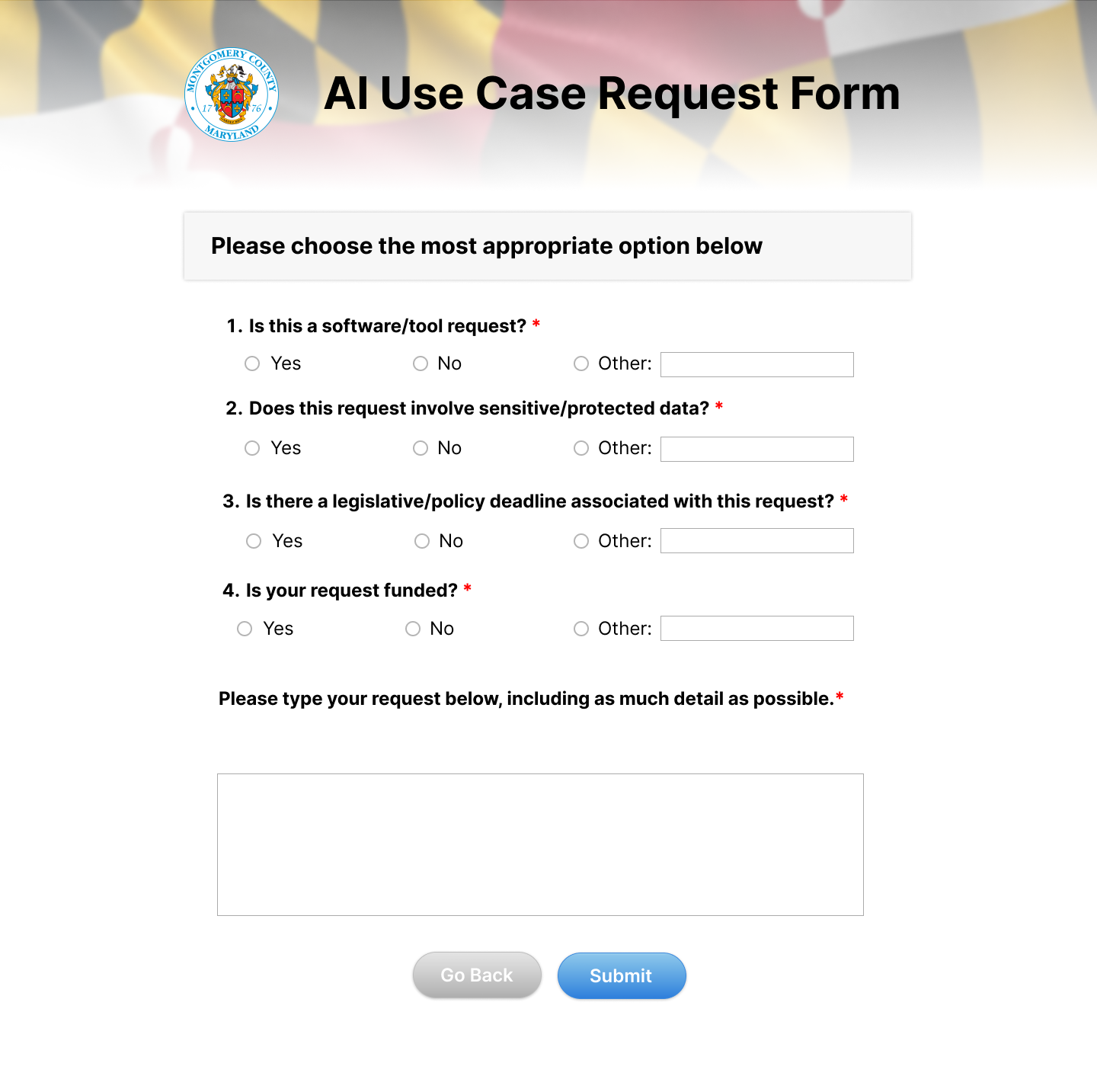
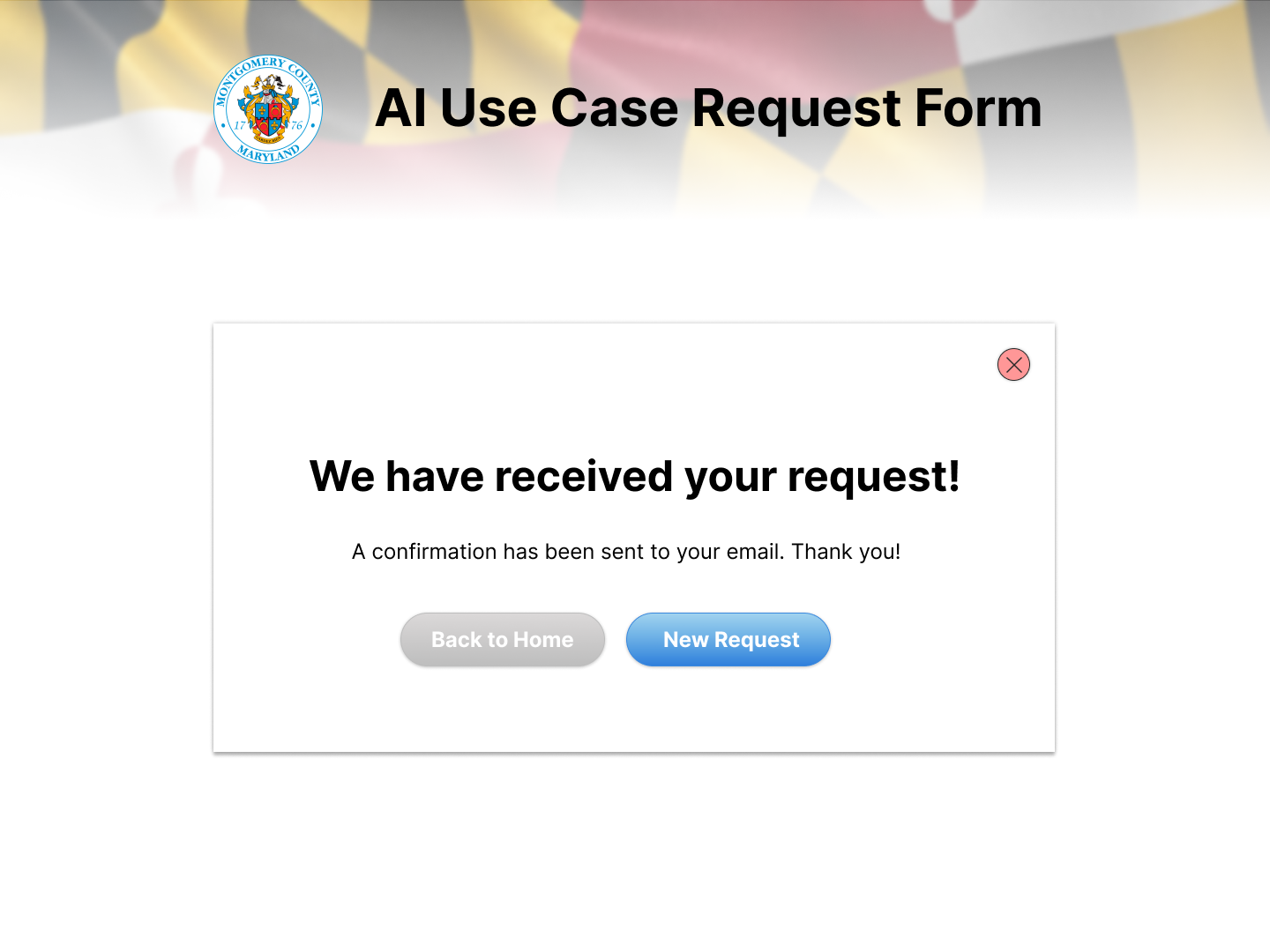
As the visual design lead for this sprint, I took it upon myself to redesign our existing interface using visual design principles.
As seen in the refined version of the prototype, I made several changes including changes to the font, color, button styles, and visual hierarchy.
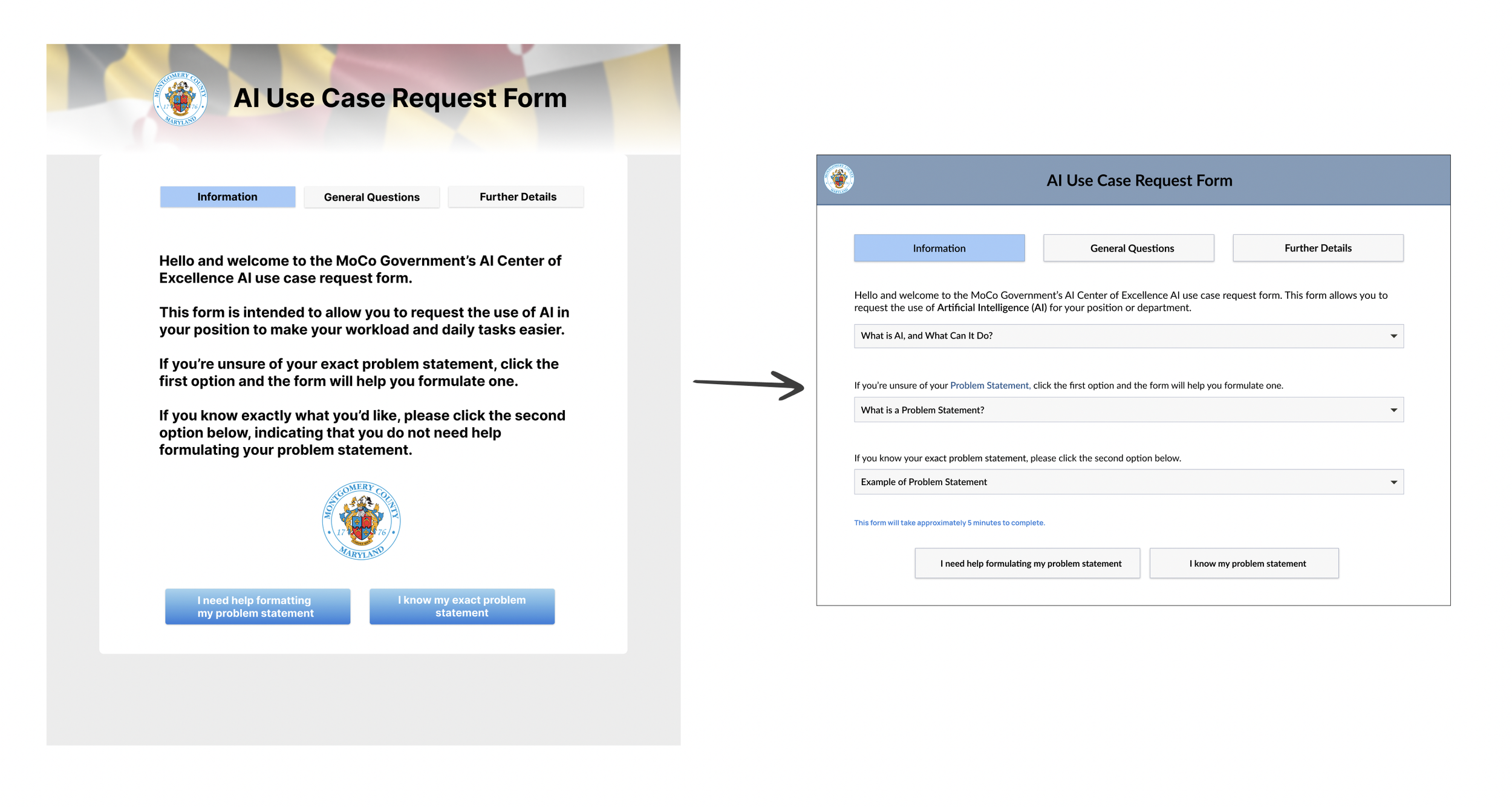
In the landing page, I consolidated the information displayed into a more simplified format to avoid information overwhelm.
Refine
Based on the direction we received from our client, we had to simplify the form as much as possible to meet their demands of wanting the form to be one page. The clients wanted it to be one page as they didn’t want the form to seem overwhelming or burdensome.
Sprint 5 (Proposed Plans)
Complete a digital version of the user journey map (how employee submits the form and how the COE receives the form)
We designed a version of the user journey on a whiteboard, but we would like to create a digital version for ease of viewing and understanding.
Create proposed form design with AI-Powered tools in the form to improve and personalize the form prompts
As mentioned above, Montgomery County does not currently have the capabilities to integrate AI as part of the form. However, many users indicated during interviews that they would like AI to be involved in the form, helping users to identify their problem statement.
Create a cohesive display of our body of work
This is for ease of viewing for our client and for display on our portfolio
Continue to improve form UI
Users are more likely to trust and want to use an interface that is designed well.
Packaging Figma file developer handoff
We want to present our work in a ready-to-ship format so that developers can easily understand our work and translate it into the code needed to develop the form.